
Currently Empty: ₹0.00
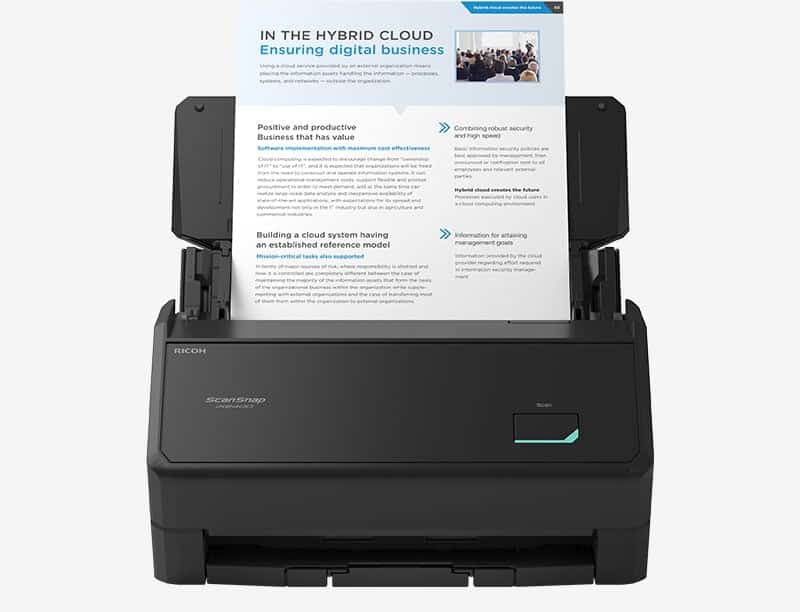
Product Description The Ricoh iX2400 is available at ScannerOne. Product Name ScanSnap iX2400 (White/Black) Scanner Type ADF (Automatic Document Feeder), Duplex Scanning Speed*1 (A4 portrait) Auto mode (Default)*2 Simplex / Duplex: 45 ppm Normal mode Simplex / Duplex: 45 ppm (Color / Grayscale: 150 dpi, Monochrome: 300 dpi) Better mode Simplex / Duplex: 45 ppm (Color / Grayscale: 200 dpi, Monochrome: 400 dpi) Best mode Simplex / Duplex: 45 ppm (Color / Grayscale: 300 dpi, Monochrome: 600 dpi) Excellent mode Simplex / Duplex: 13 ppm (Color / Grayscale: 600 dpi, Monochrome: 1,200 dpi) Scanning Color Mode Color, Grayscale, Monochrome, Automatic (Color / Grayscale / Monochrome detection) Image Sensor CIS x 2 (Front x 1, Back x 1) Light Source 3 color LED (Red / Green / Blue) Optical Resolution 600 dpi Document Size Normal Scan*3 Minimum: 50.8 x 50.8 mm (2 x 2 in.) Maximum: 216 x 360 mm (8.5 x 14.17 in.) With Photo Carrier Sheet (Option) Minimum: 25.4 x 25.4 mm (1 x 1 in.) Maximum: 127 x 178 mm (5.0 x 7.0 in.) With Carrier Sheet (Option) Minimum: 25.4 x 25.4 mm (1 x 1 in.) Maximum: 297 x 431.8 mm (11.69 x 17 in.) Long Paper Scanning*4 3,000 mm*5 (863 mm in 32-bit) Paper Weight (Thickness) 40 to 209 g/m2 (11 to 56 lb) A8 size or less: 128 to 209 g/m2 (34 to 56 lb) Cards: 0.76 mm or less (Compliant with the ISO7810 ID-1 type) (Includes embossed cards in landscape orientation) ADF Capacity*6 100 sheets (A4, 80 g/m2 or 20 lb) Multifeed Detection Overlap detection (Ultrasonic sensor), Length detection Interface USB USB3.2 Gen1x1 / USB3.1 / USB3.0 / USB2.0 / USB1.1 (Connector Type: Type-C) Power Requirements AC 100 to 240 V, 50/60 Hz Power Consumption Operating Mode Approx. 13 W Sleep Mode 1.0 W or less When the power is off (default Normal mode) 0.1 W or less On standby in Fast mode 1.0 W or less Operating Environment Temperature 5 to 35 °C (41 to 95 °F) Relative Humidity 20 to 80% (Non-condensing) Environmental Compliance ENERGY STAR®, RoHS Dimensions (W x D x H) Storage Size 292 x 161 x 159 mm (11.50 x 6.34 x 6.26 in.) Extension and Stacker Extended 292 x 477 x 286 mm (11.50 x 18.78 x 11.26 in.) Weight 3.2 kg (7.1 lb) Driver ScanSnap Home (ScanSnap specific driver) Windows®: Does not support TWAIN / ISIS™ macOS: Does not support TWAIN Software*7 ScanSnap Home (All-in-one document management software/driver) ABBYY FineReader for ScanSnap™ Scanning speeds may vary due to the system environment. The values shown are the results of the evaluation under the following environment: Windows 11 / CPU: Intel Core™ i3-13100, up to 4.5GHz / Memory: 8GB / Storage: SSD; ARM-based Windows 11 / CPU: Snapdragon X 10-core 3.4GHz / Memory: 16GB / Storage: SSD; macOS Sonoma 14 / CPU: Apple M2 chip / Memory: 8GB / Storage: SSD / Mac Mini (2023). Scans will be performed in 300 dpi (Color/Grayscale) or 600 dpi (Monochrome) if shorter sides are less than 105 mm, and in 200 dpi (Color/Grayscale) or 400 dpi (Monochrome) if shorter sides exceed 105 mm. A3 scans are possible with use of A3 carrier sheets. A document longer than A4 paper can be scanned one by one. Available in all modes except for “Excellent mode”. Up to 360 mm in Excellent mode. Maximum capacity varies, depending upon paper weight. Installation and updates require Internet availability. Software/driver updates to the latest versions are recommended. System Requirements for PC Compatible Operating Systems*1 Windows 11 / 10 (32-bit / 64-bit) Driver / Applications*2 ScanSnap Home*4 Supported ABBYY FineReader for ScanSnap™ Supported Hardware Requirements*3 CPU*5 Intel or Intel-compatible processors, ARM processors*8 Display Resolution 1,024 × 768 pixels or more Disk Capacity*6*7 3.8 GB or more of free disk space ScanSnap works on Windows 11 and Windows 10 in desktop mode. It is not supported on Windows 10 Enterprise 2015 LTSB or on ARM-based Windows 10. Operating systems listed in this table are the only ones supported. Please refer to the ScanSnap Support site for the latest support information. The ScanSnap device may not work if the connected computer does not meet these requirements. ScanSnap Home Installation requires a computer and Internet. Please visit the ScanSnap Support site for download information. Scanning speeds may vary due to the system environment. Indicated disk capacity requirements apply when downloading ScanSnap Home. .NET Framework 4.8 or later must be installed. If it is not installed, it is installed with ScanSnap Home. Up to 4.5 GB of disk space is required for the installation. ABBYY FineReader for ScanSnap does not support ARM processors. For details on ARM processor support in other third-party applications integrated with ScanSnap Home, please contact the respective manufacturer or provider. *The system requirements may change depending on the support policies of the above system and third-party software. System Requirements for Mac Compatible Operating Systems macOS Monterey 12 or later Driver / Applications*1 ScanSnap Home*3 Supported ABBYY FineReader for ScanSnap™ Supported Hardware Requirements*2 CPU*4*5 Intel processor or Apple silicon Display Resolution 1,024 x 768 pixels or more Disk Capacity 2.5 GB or more of free disk space Operating systems listed in this table are the only ones supported. Please refer to the ScanSnap Support site for the latest information. The ScanSnap device may not work if the connected computer does not meet these requirements. ScanSnap Home Installation requires a computer and Internet. Please visit the ScanSnap Support site for download information. The ScanSnap device also operates with Apple Silicon-based Mac computers. Please refer to the ScanSnap Support site for the latest information. Scanning speeds may vary due to the system environment. *The system requirements may change depending on the support policies of the above system and third-party software. The Ricoh iX2400 is available for purchase at ScannerOne with fast shipping and expert support. Browse more Fujitsu/Ricoh Document Scanners available at ScannerOne. For official product specifications, visit Ricoh.